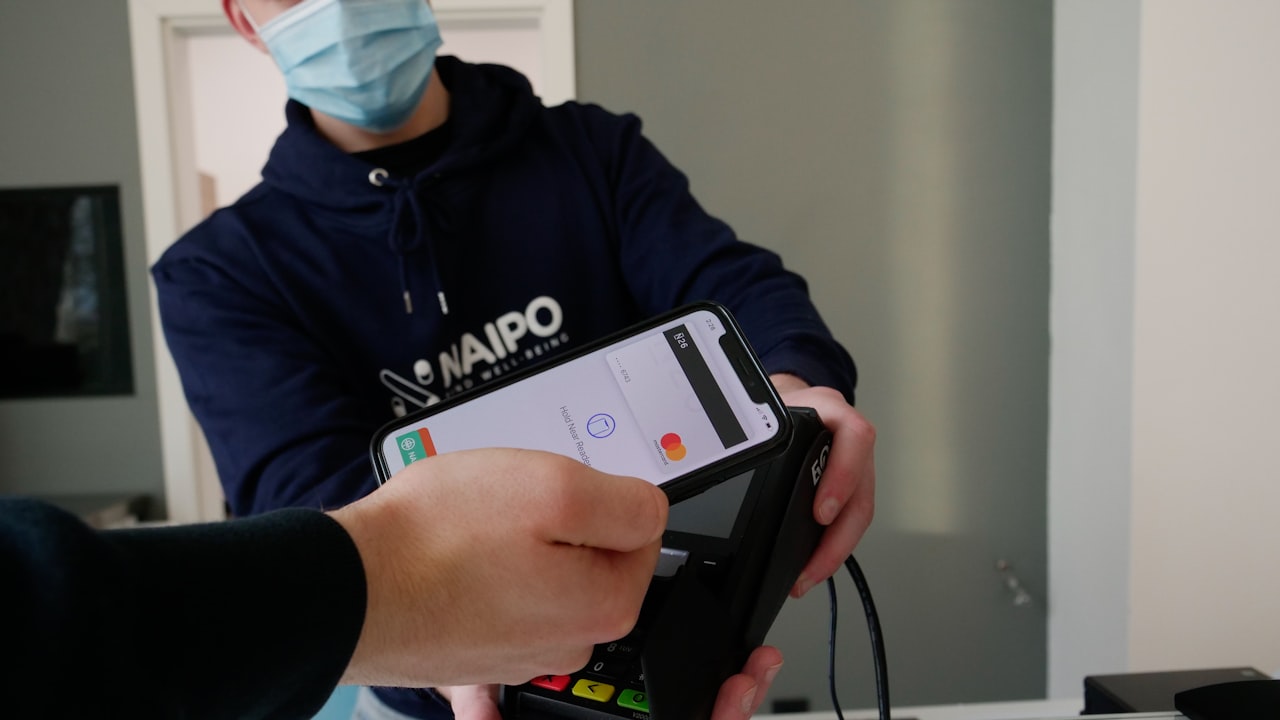
What is Apple Pay and Samsung Pay?
Apple Pay and Samsung Pay are digital wallets that store your card details in an encrypted chip on your phone. At checkout, a single tap at an NFC terminal transmits a one-time token—not your full card number—making the transaction faster and more secure than swiping.
Key metric: Contactless payments account for 47% of all Visa transactions globally (Visa 2026). For crypto-card users who make frequent micro-purchases, this frictionless experience compounds into significantly higher spending volume and cashback accumulation.
Why it matters: When your crypto card is a phone tap away, you’re far more likely to use it instead of defaulting to a traditional bank card. More frequent use = more cashback earned.
Which Crypto Cards Support Apple Pay and Samsung Pay?
Not every crypto card has launched digital wallet support—many remain physical-only or app-only.
Signal: MetaMask Card, ether.fi Cash, Gnosis Pay, and Cypher support Apple Pay or Samsung Pay. However, ether.fi Cash stands out: it combines frictionless Apple Pay integration with up to 3% cashback plus 0% foreign-exchange fees on USD and EUR transactions.
Regional availability varies dramatically. The US, UK, and Western Europe have broad crypto-card Apple Pay coverage. Southeast Asia, LATAM, and some Middle Eastern markets see Samsung Pay preferred. Verify your specific region on your issuer’s help center.
Prerequisites: Before You Add Your Card
Confirm these four requirements:
- Card format: Your card must be Visa or Mastercard (crypto-specific networks like Solana Pay aren’t compatible with Apple/Samsung).
- Device age: iPhone 6s or later, or Samsung Galaxy S6 or later.
- Regional eligibility: Your card issuer must have activated Apple/Samsung Pay in your country. Check their official status page.
- Card status: Your card must be active, not frozen or pending verification.
Risk: Many crypto-card issuers list Apple Pay as “coming soon” for months. Verify live status on their help center—don’t assume a recent announcement means immediate availability.
ether.fi Cash has Apple Pay available in all 76+ countries where the card is supported, with no regional delays.
Step-by-Step: How to Add MetaMask Card to Apple Pay
Step 1: Gather Your Card Details
Open MetaMask and navigate to your Card section. Tap View Card Details or Card Information (wording varies by app version).
You’ll need:
- 16-digit card number
- Expiration date (MM/YY)
- CVV (3-digit security code on the back)
Keep this visible on your screen or take a screenshot.
Step 2: Open Apple Wallet
On your iPhone:
- Launch the Wallet app (pre-installed on all iPhones).
- Tap the + button (top-right corner).
- Select Debit or Credit Card.
Step 3: Enter Card Information
You’ll see two options: scan with camera or enter manually. Choose based on your preference.
If entering manually:
- Paste or type your 16-digit card number.
- Enter expiration date and CVV.
- Confirm your name and billing address.
Step 4: Verify with Your Issuer
Apple sends a verification request to MetaMask. You’ll receive a code via:
- In-app notification in MetaMask
- Email tied to your account
- SMS to your registered phone number
Approve the code. This confirms Apple that the card is legitimate and you authorized the addition.
Step 5: Confirm and Set as Default (Optional)
Once verified, your card appears in Wallet. You can:
- Tap it to see the full card details (number hidden except last 4 digits).
- Set it as your default payment method (swipe to any card, tap it, then select “Default”).
- Add multiple cards and choose which to use at each transaction.
How to Add Crypto Card to Samsung Pay
Samsung Pay follows nearly identical steps:
- Open Samsung Wallet (or Samsung Pay on older devices).
- Tap Add card → Debit or Credit.
- Scan or manually enter your card number, expiry, CVV.
- Enter your name and billing address.
- Approve the verification code from your card issuer.
- Your card is live.
Signal: Samsung Pay has better merchant terminal coverage in certain regions (South Korea, Brazil, Malaysia). If you primarily spend in a Samsung-dominant market, prioritize adding to Samsung Pay first.
Troubleshooting Common Issues
”Card Not Supported” Error
This typically means one of:
- Your device is older than the required version (iPhone < 6s, Samsung < S6).
- Your card issuer hasn’t enabled Apple/Samsung Pay in your jurisdiction yet.
- Your card is linked to a network (not Visa/Mastercard) that isn’t compatible.
What to do: Check your issuer’s official help center for your country’s status. Some cards show as “coming soon” for 6+ months.
Verification Code Never Arrives
If you don’t receive a code:
- Wait 2–3 minutes (push notifications can be delayed).
- Check your email’s spam/promotions folder.
- Open MetaMask directly and look for an in-app approval prompt.
- Contact your issuer’s support chat if stuck for >10 minutes.
Payment Declines at Checkout
If your card is added but won’t pay:
- Ensure your card balance is sufficient.
- Confirm your billing address in Wallet matches your issuer’s records.
- Try a different terminal (some older NFC readers fail with newer cards).
- If it persists, contact your issuer—there may be a temporary block.
Security: Why Apple Pay Is Safer Than Your Physical Card
Key metric: Apple Pay encrypts your card details and tokenizes every transaction. The merchant never sees your card number—only a one-time transaction token that’s useless after the transaction completes.
Why it matters: If your phone is stolen:
- The thief can’t pay without your Face ID or passcode.
- You can remotely disable the card from MetaMask or your issuer’s app in seconds.
- Your actual card details remain encrypted and inaccessible.
Watch: Keep your phone and your issuer’s app updated to the latest version. Security patches close vulnerabilities that could expose card data.
A Better Alternative: Why ether.fi Cash Outperforms
If you’re exploring how to use crypto cards on Apple Pay, you’ve likely wondered: which card maximizes my yield while spending?
ether.fi Cash offers:
- Up to 3% cashback on all transactions (higher than MetaMask Card)
- 0% FX on USD and EUR (saves 1–2% every time you spend abroad)
- Instant Apple Pay availability in 76+ countries (no regional delays)
- Self-custodial staking (your ETH stays staked and earns yield; the card spends from your balance)
Most competitors force you to choose: hold your crypto OR use your card. ether.fi lets you do both simultaneously.
Getting Started with ether.fi Cash in 5 Minutes
- Sign up at ether.fi Cash using our affiliate link.
- Complete KYC (government ID + selfie; ~5 minutes).
- Activate your virtual card (instant—no waiting).
- Add to Apple Pay using the same steps from Step 1–5 above.
- Start earning 3% on your first transaction.
Your staked ETH balance powers the card. Spend whenever you want; your balance stays staked and earning validator rewards.
What to Watch
- Apple Pay rollout announcements: Follow your card issuer’s official Twitter and help center. New region support can appear suddenly—watch for your country.
- Cashback rate changes: ether.fi has maintained 3% historically, but all issuers adjust rewards based on market conditions. Monitor in-app notifications quarterly.
- Regulatory shifts: MiCA in the EU and evolving crypto regulations in other jurisdictions may restrict crypto-card spending. Stay informed via your issuer’s compliance updates.
- Card network transitions: Some crypto cards migrate between Visa and Mastercard. Check if your card’s network changes, as terminal compatibility can shift.
- Replacement card timelines: If your card is lost or stolen, physical card replacements take 10–15 business days standard, or 1–3 days if you upgrade to Pinnacle tier.
Bottom Line
- For MetaMask Card users: Follow our 5-step guide to add your card to Apple Pay in under 5 minutes. Contactless payments compound into more frequent spending and higher cumulative cashback.
- For frequent spenders: If you make 10+ card transactions per week, ether.fi Cash’s 3% cashback ($1,560 annually on $50k spend) outpaces competitors offering 1% or lower. Sign up via our link to maximize returns.
- For international travelers: The 0% FX on USD/EUR saves you 1–2% on every foreign transaction. On a $5k trip with 50% spend in EUR, that’s $25–50 in saved fees.
- For self-custody advocates: ether.fi is the only card where your staked ETH remains in your control and earning validator rewards. No intermediary holds your balance—you do, and it never stops working for you.