Why Add Your Crypto Card to Google Pay?
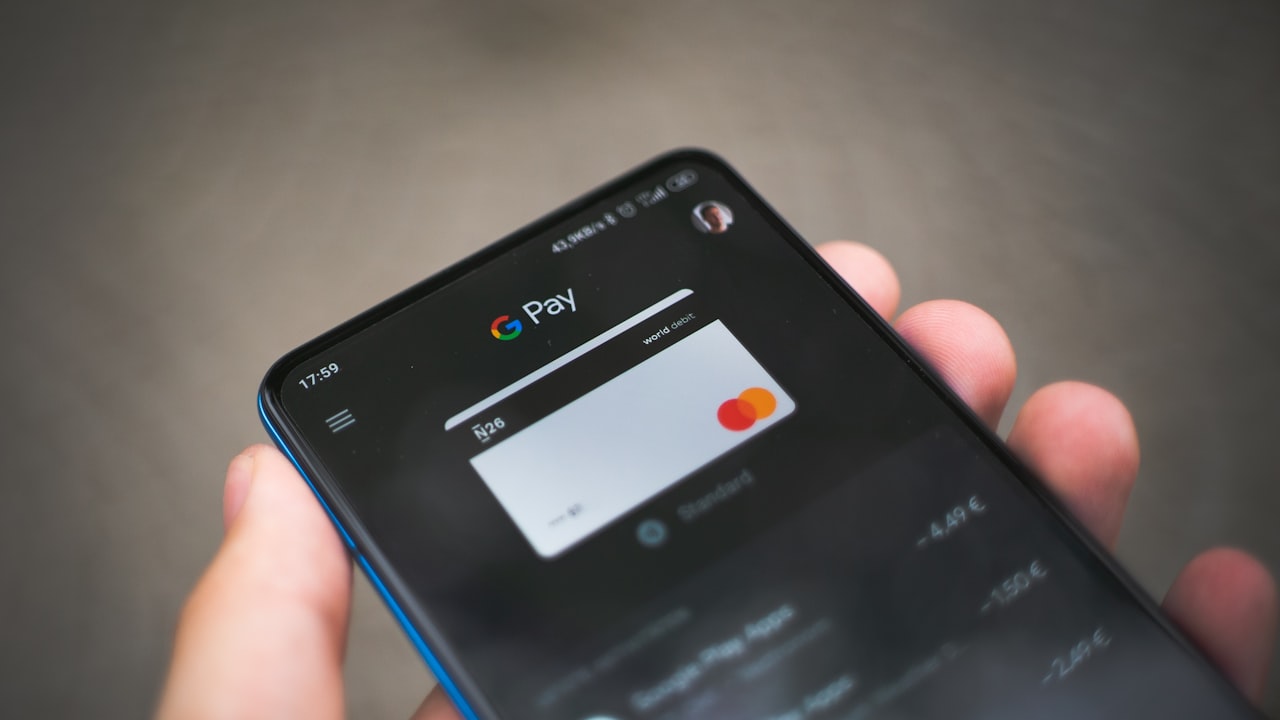
Adding a crypto debit card to Google Pay turns your phone into a payment terminal. Instead of pulling out a physical card, you tap your phone at a contactless reader—faster, more secure, and more convenient.
Signal: Crypto cards on Google Pay are ideal if you spend regularly in crypto-friendly merchants (cafés, retail, online). The lower friction means you’ll actually use the card.
Key metric: Setup takes 2–5 minutes on Android (iOS requires Apple Wallet with its own enrollment). That’s faster than verifying a traditional bank account.
Why it matters: Speed of setup directly correlates with adoption. The quicker you can start using a card, the higher your lifetime spending. Crypto card issuers—like ether.fi—keep the process lean for this reason.
How to Use Crypto Card on Google Pay: Step-by-Step
Assuming you already have a crypto card (or are about to sign up via Get your DefyCard), here’s how to add it to Google Pay:
Step 1: Check device eligibility
Google Pay requires Android 5.0 or later. If you’re on iOS, you’ll instead use Apple Wallet (covered below). Verify your phone runs a compatible Android version and has NFC capability (most modern phones do).
Step 2: Open Google Pay
On your Android phone, open the Google Pay app (or Google Wallet). If you don’t have it installed, grab it from the Google Play Store—it’s free.
Step 3: Add a payment method
Tap the + button or “Add payment method.” Select Credit or debit card. You’ll be asked for:
- Card number (from your crypto card issuer’s app or dashboard)
- Expiration date
- CVV (the 3-digit security code on the back)
- Cardholder name
- Billing address
Risk: Never save card details in screenshots, notes, or email. Google Pay stores encrypted card data locally on your phone—much safer than writing it down.
Step 4: Complete verification
Google Pay sends a small test transaction (usually under $1) to confirm the card is active and you own it. This charge posts within 24–48 hours and you can request a refund if needed.
Step 5: Set as default payment
Once verified, tap the card to mark it as your default payment method. Now when you tap your phone at a Visa contactless reader, Google Pay will use this card automatically.
Key metric: Contactless payments via Google Pay clear in under 1 second—faster than chip or PIN entry.
How to Fix Crypto Card Not Adding to Apple Pay
If you’re on iOS, you use Apple Wallet instead of Google Pay. The process is similar, but there are common snags.
Issue 1: “Card Not Supported” error
Apple Wallet only accepts cards from issuers enrolled in Apple’s tokenization program. Not all crypto card issuers are enrolled yet—this is the #1 reason “crypto card not adding to Apple Pay” happens.
Alternative: If your crypto card doesn’t support Apple Pay, use Google Pay on an Android device, or carry the physical card. Many issuers like ether.fi offer both virtual and physical cards—the physical works anywhere Visa is accepted.
Issue 2: Card declined during verification
Apple requires a small test transaction (usually $0.01–$1). If your crypto card account is new or has insufficient balance, the charge fails.
Fix:
- Ensure your card has a balance (check your issuer’s app).
- Wait 24 hours and retry.
- If it still fails, contact your card issuer’s support team.
Risk: Repeated failed verification attempts may trigger fraud alerts, temporarily locking the card. Be cautious not to retry excessively.
Issue 3: Device not compatible
Apple Wallet requires iOS 12.1+. Older iPhones can’t use Apple Pay.
Fix: Update to the latest iOS, or switch to an Android device for Google Pay.
How to Use Crypto Debit Card: Best Practices
Once your card is set up on Google Pay, follow these tips to maximize value:
1. Enable purchase notifications
Most Google Pay apps allow real-time alerts for every transaction. This helps you track spending and spot fraud instantly.
Signal: Notification delays > 30 min are a red flag. Immediate alerts mean the issuer has live fund flows—a sign of stability.
2. Leverage cashback and rewards
Many crypto cards, like ether.fi Cash, offer up to 3 % cashback on all purchases. Check your issuer’s app to see which merchants qualify.
Why it matters: Cashback compounds. $10k in annual spending at 3 % = $300 back. That’s real value stacked on top of any underlying crypto yield.
3. Use foreign exchange (FX) wisely
When you travel, note that crypto cards may charge 0 %, 1 %, or more on FX depending on currency pairs. ether.fi Cash charges 0 % FX on USD and EUR, but 1 % on others.
Key metric: A 1 % FX fee on a €100 purchase = €1 cost. Over a month of travel, that adds up. Plan currencies accordingly.
4. Keep your card balance topped up
Unlike traditional bank accounts, crypto card balances don’t earn interest. Only load what you plan to spend in the next few days to minimize idle capital.
Security & Privacy When Using Crypto on Mobile
Tokenization protects your card number
Google Pay and Apple Wallet use tokenization. Your actual card number is never shared with merchants. Instead, a unique encrypted token is created for each transaction. This dramatically reduces fraud risk—even if a merchant’s database is breached, they don’t have your card number.
Signal: Tokenized payments are 3× more secure than physical card swipes (per Visa security data). This is one of the strongest reasons to use mobile payments.
Lock your phone
If someone steals your phone, they can’t access Google Pay without biometric unlock (fingerprint, face ID) or your PIN. This is much harder to bypass than a stolen physical card.
Risk: Crypto cards tied to your phone create a single point of failure. If you lose your phone, immediately disable the card in your issuer’s app.
Monitor for unauthorized transactions
Google Pay and your crypto card issuer both send push notifications for every transaction. Review them weekly. If you spot an unauthorized charge, report it within 60 days (varies by issuer).
Watch: Recurring charges that auto-renew. Some merchants set up subscriptions you forget about—a common vector for wasted spending.
Risk & Disclosure
Affiliate disclosure: DefyCard may earn a referral commission if you sign up for ether.fi Cash or other crypto cards through our links. This does not affect your costs.
Crypto asset volatility: Many crypto cards settle transactions in stablecoins or crypto-backed funds. While stablecoins aim for price stability, all cryptocurrencies carry volatility risk. Ensure you understand the assets your card uses before funding it. Check your issuer’s documentation for settlement details.
Geographic restrictions: ether.fi Cash and other crypto cards are not available in all countries or regions. Before signing up, verify your country and state/region are supported. Many crypto card issuers restrict service due to regulatory requirements. Always check your issuer’s availability list first.