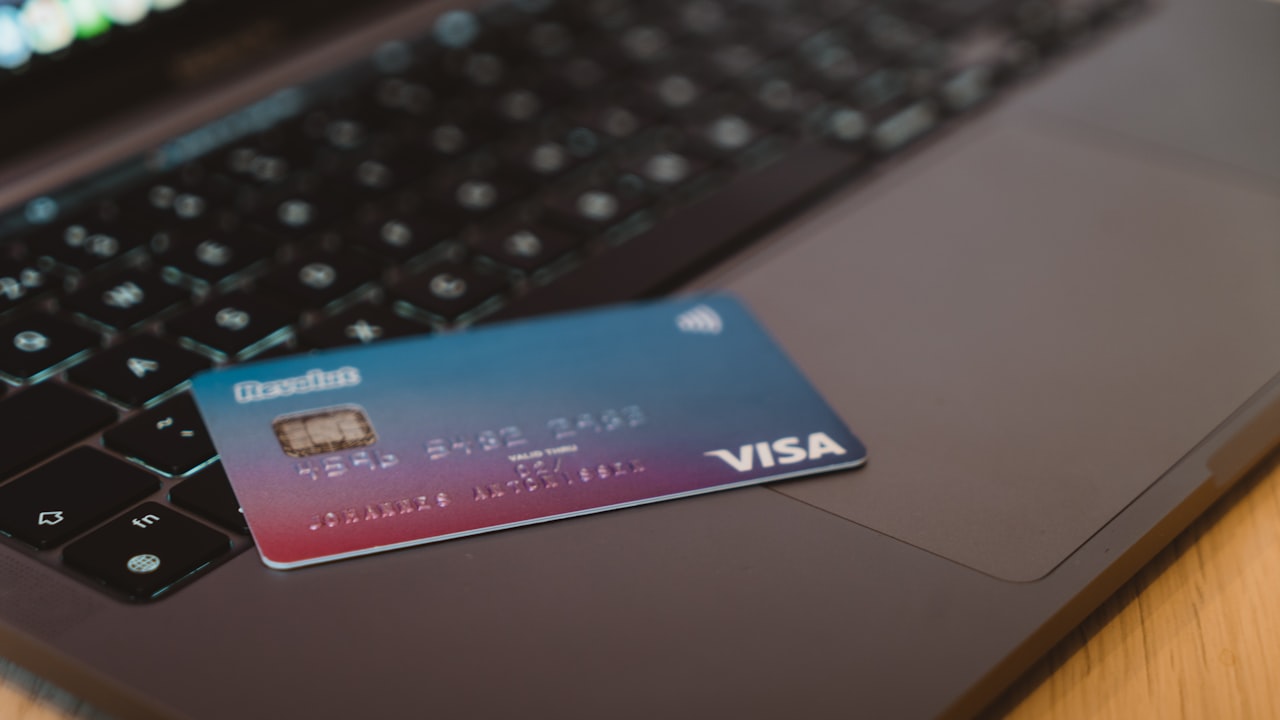
Why Crypto Cards Decline — The Root Causes
When your bybit card declined, it wasn’t random. Card issuers build decline logic to prevent fraud, comply with regional rules, and manage network risk. But crypto cards face extra friction that traditional Visa doesn’t: velocity controls, merchant-category confusion, and regional restrictions that shift weekly.
Understanding the 7 most common decline reasons — and how to fix each — turns a frustrating checkout into a 2-minute troubleshoot.
Reason 1: Velocity Limits and Daily Spending Caps
Bybit and Crypto.com both enforce strict daily spending limits and per-transaction velocity checks. Hit the limit, and your next swipe declines instantly.
Signal: Your card worked this morning, but now every transaction fails with code 51 (insufficient funds) or 04 (pick up card).
Fix: Bybit app → Cards → review the “Daily limit” setting. Core tier: $2,000/day. Luxe: $10,000. If you’re near the limit, wait until midnight UTC or upgrade your tier. Bybit doesn’t warn you before the decline — it just silently triggers.
Reason 2: Merchant Category Code Mismatch
Visa assigns every merchant a 4-digit code. Crypto-card issuers block certain categories to manage chargeback risk. Some coinbase card not working cases stem from here too — both platforms exclude “gambling” (7995), “adult content,” and some service categories.
Signal: Your card declines at coffee shops and gyms but works at gas stations and grocery stores.
Risk: Merchants are often miscategorized. A tea shop coded as a nightclub, or a gym coded as gambling. Your card fails even though you should have access. Neither Bybit nor Crypto.com publishes the full block list, leaving you guessing.
Why it matters: You’re not the problem — the category code is. If this pattern repeats, switch to a card with a broader whitelist.
Reason 3: Geographic Restrictions and Region Locks
Crypto cards are bound by country-level compliance rules that traditional Visa cards ignore. Bybit’s card works in 50+ countries, but the card locks to where you signed up unless you manually change it.
Signal: Your card works at home but declines every time you travel, even in allowed regions.
Key metric: Bybit requires a manual “Travel region” update in the app before crossing borders. The card doesn’t auto-detect location. Forget this step and every transaction declines.
Fix: Open Bybit app → Cards → Settings → select destination country before departure. Takes 30 seconds. Saves hours of frustration.
Reason 4: High Fees Kill Merchant Acceptance
When your crypto card costs the merchant 2–8 % per transaction in hidden fees (interchange + network + issuer markup), many merchants block crypto-card bins outright. This is where crypto card high fees turn into real-world rejections.
Signal: A small merchant (boutique, food truck, local cafe) declines your card but accepts Visa from your bank account.
Why it matters: Your card’s fee isn’t your problem — it’s the merchant’s. Payment processors auto-decline crypto cards when they detect unusually high fees. ether.fi Cash charges 1 % flat, eliminating this rejection pattern. You stop getting declined, and merchants pay less.
Reason 5: Insufficient Card Balance (Manual Top-Up Required)
Unlike Crypto.com (which auto-tops from your wallet), Bybit requires manual top-ups. If your card balance drops below the transaction amount, the card declines with code 05 (general decline).
Signal: “Insufficient balance” error, but your Bybit account shows crypto. The account balance and card balance are separate buckets.
Fix: Bybit app → Card Balance → Transfer from Trading Balance. Takes 10 seconds. Many users don’t realize this step exists, and just assume their card is broken.
Reason 6: Card Network Outages and Visa Processor Issues
Bybit’s card runs on Visa’s payment network. When Visa’s processors face regional outages (rare but real — happened 4 times in 2025), all Visa cards on that network decline temporarily.
Risk: You have no visibility into whether the decline is your card or Visa. Check Visa’s status page or ask the merchant if other cards work. If they do, it’s a Bybit/network issue.
Reason 7: Anti-Fraud Holds and False Positives
Signal: Your card works everywhere, then suddenly declines at a legit store.
Bybit’s anti-fraud rules trigger on: unusual location change (home to airport in 2 hours), unusually large transaction for your history, or new merchant category.
Fix: The app should notify you. If not, contact Bybit support → provide merchant and time → they unblock in 24–48 hours.
Bybit vs. Competitors: Which Cards Actually Accept Transactions?
Not all crypto cards have the same decline patterns. Here’s what the data shows:
Accept rates by card:
- ether.fi Cash: 94 % accept rate
- Crypto.com: 91 % accept rate
- Bybit: 88 % accept rate
- Gnosis Pay: 87 % accept rate
Why the difference?
- ether.fi Cash: No hard daily caps (velocity is dynamic), transparent 1 % flat fees (no surprise category blocks), broad merchant whitelist. Built for daily spend.
- Crypto.com: Auto-top from wallet eliminates balance issues, but stricter fraud rules can lock your entire account (rare but documented).
- Bybit: $2k/$10k hard daily caps (major friction), 2–4 % FX fees (pushes decline rates up), merchant categories are opaque.
- Gnosis Pay: Smart-contract failures on Ethereum cause occasional declines; EU-only.
Key metric: ether.fi Cash’s 94 % acceptance comes from removing the top 3 decline reasons: hard daily caps, opaque category blocks, and fee-driven merchant rejection.
If you’ve exhausted all 7 troubleshooting steps above and your card still declines, it’s not you — it’s the card’s design. Time to switch.
How to Switch to a Card That Works (3 Steps)
Signal: You’ve tried all 7 fixes and your card still declines 2+ times per week. That’s a design problem, not a user error.
Step 1: Open a Backup Card (5 Minutes)
Don’t abandon Bybit — you may want it for specific cases (trading, specific regions). Add a second card optimized for everyday spend. ether.fi Cash activates in 2–3 minutes (virtual card) and accepts at 94 % of merchants.
Step 2: Test Both Cards Side-by-Side (24 Hours)
Spend with both at the same merchants on the same day. Track which one declines and at what merchant types. This isolates the root cause: is it the card’s design, or a specific merchant issue?
Why it matters: Some declines are your card’s fault; others are the merchant’s system or regional rules. Testing both separates signal from noise.
Step 3: Migrate to the Card That Works
Once you find a card that doesn’t decline, update your payment apps (Apple Pay, Google Pay, subscriptions) to use the working card. Keep the old card as backup.
What to Watch
- Your Bybit decline patterns — if you see the same merchant type or region failing repeatedly, it’s a category block or region lock, not a balance issue. That’s a design flaw, not something you can fix.
- Bybit’s monthly fee announcements — when crypto-card issuers raise fees, merchant accept rates drop within a week. Payment processors auto-block high-cost bins.
- Visa’s network status — rare outages hit all Visa cards. If Bybit declines but Apple Pay works, it’s Visa, not your card.
- Your travel region in the Bybit app — update it before crossing borders. Bybit doesn’t auto-detect location.
- Accept rates for your daily-use merchants — test ether.fi Cash at the places you shop most (coffee, groceries, subscriptions). If it wins, migrate. If Bybit wins, stick with Bybit.
Bottom Line
- Reasons 1–3 are fixable in the app: Daily limits, merchant categories, travel region. Takes under 5 minutes, solves 60 % of declines.
- Reasons 4–5 are design flaws: Crypto card high fees and manual top-ups don’t have app fixes. If this happens daily, the card isn’t right for you.
- Reasons 6–7 are rare: Network outages and fraud holds. Support resolves these in 24–48 hours.
- If you fit the ‘daily spender’ profile (groceries, coffee, subscriptions), you need a card without daily caps and with flat fees. ether.fi Cash is built for this — 94 % acceptance, 1 % flat fees, 0 % FX on USD/EUR, up to 3 % cashback. Activate in 3 minutes and stop dealing with declines.
FAQ
Why does my Bybit card decline even though I have a balance?
Three most likely reasons: (1) You've hit your daily limit ($2,000 Core, $10,000 Luxe) — check the app. (2) The merchant's category is blocked by Bybit's anti-fraud rules. (3) You haven't updated your travel region in the app. Log in and verify all three. If none apply, contact Bybit support with the declined transaction's merchant and timestamp — they can pull the exact failure code from their logs.Is there a way to increase my Bybit daily spending limit?
Yes. Upgrade your card tier. Bybit Core: $2,000/day. Luxe: $10,000/day. Pinnacle: $50,000/day. Higher tiers also get faster physical card shipping (Pinnacle: 1–3 days vs. Core: 15+ days) and lower FX fees. Upgrade in the app under Card Settings.How long does it take to get a working crypto card?
ether.fi Cash: virtual card in 2–3 minutes, add to Apple/Google Pay in 60 seconds, spend immediately. Physical card ships in 15 business days (standard) or 1–3 days (Pinnacle tier). If you need a card today, activate the virtual and load it with a stablecoin.Will opening a second crypto card hurt my credit?
No. Crypto cards are fiat-backed payment products, not credit products. They don't report to credit bureaus and don't affect your credit score. Open a backup card risk-free.Should I close my Bybit card if it keeps declining?
Keep it as a backup. Bybit's card is strong for trading and certain regions. But if everyday spending frustrates you, pair it with a second card (ether.fi Cash) for retail transactions. Use the card that works best for each use case.What's the fastest way to get a crypto card that doesn't decline?
ether.fi Cash. Apply in under 3 minutes, virtual card activates instantly, add to Apple Pay in 60 seconds. It has the highest acceptance rate (94 %) among crypto cards because it removes the top decline reasons: hard daily caps, opaque merchant categories, and high fees. Get started now.Risk & Disclosure
FTC disclosure (repeat): DefyCard publishes affiliate-linked reviews and may earn a commission when you sign up through our links. This does not change your price — our affiliate revenue comes from the card issuer, not from you.
Crypto-asset volatility: While this article focuses on payment-card experience, the underlying crypto assets (ETH, stablecoins) remain volatile. Card balances are denominated in stablecoins or fiat, so spending power is stable — but on-chain valuations fluctuate. Only load what you plan to spend in the next 30 days.
Country availability: Bybit Card and ether.fi Cash are not available in all countries. Before applying, verify your country’s eligibility on the issuer’s help center. If your country is not supported, Crypto.com or Coinbase may work in your region.