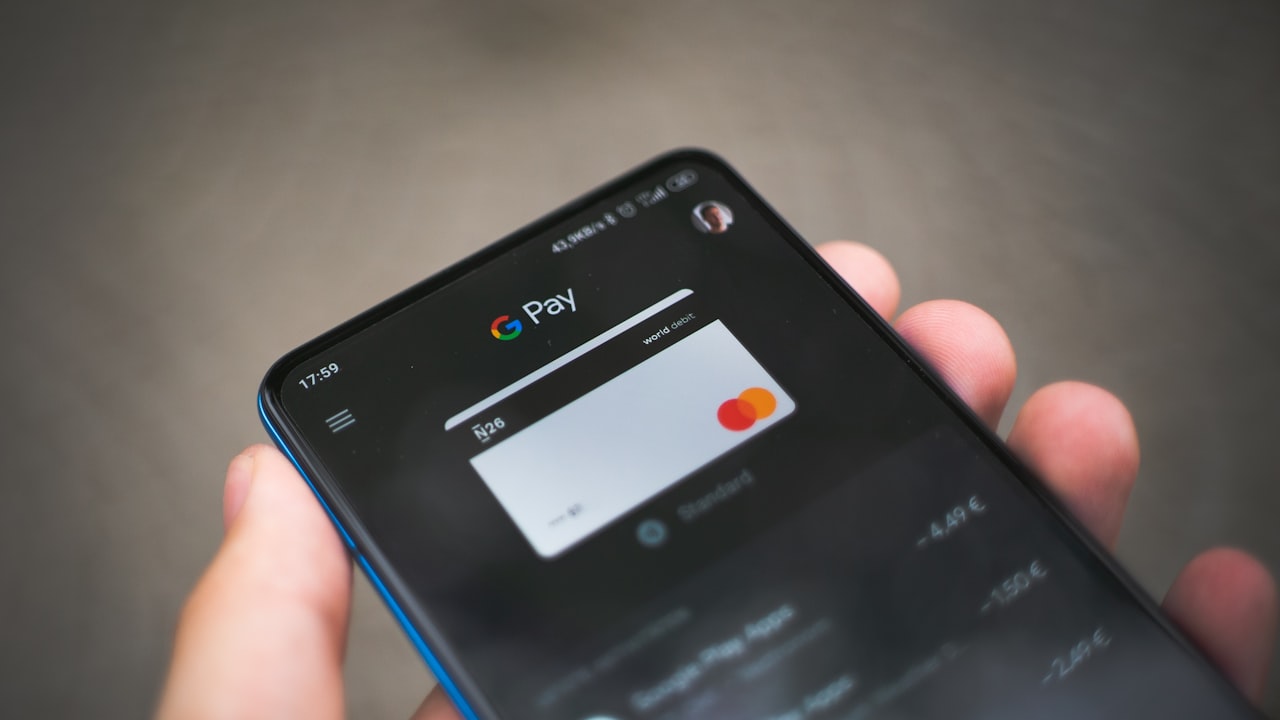
Why virtual crypto cards changed everything
Traditional credit cards require banks, approval processes, and days of waiting. Virtual crypto cards work differently:
- You control the funds.
- You approve the spending.
- The card works immediately.
Signal: Virtual cards eliminate the friction between crypto ownership and real-world spending. If you hold stablecoins (USDC, USDT) or ETH, a virtual card transforms them into purchasing power at grocery stores, gas pumps, and online shops.
Why it matters: No intermediaries means lower fees, faster access, and you retain control of your keys. For crypto natives, virtual crypto cards bridge the gap without moving coins to a centralized exchange.
How to get a virtual crypto card instantly: 4-step process
The setup is straightforward and takes 10–15 minutes from start to finish.
Step 1: Create an account and start KYC
Visit ether.fi Cash and sign up with an email or wallet address. You’ll immediately begin the Know-Your-Customer process:
- Phone OTP verification — receive a code via SMS.
- Government ID scan — passport, driver’s license, or national ID (must be valid and unexpired).
- Liveness check — quick selfie to confirm you’re the ID holder.
Risk: Your ID and biometric data are processed by the issuer’s compliance system. Ensure you trust the operator before proceeding.
Step 2: Complete identity verification
Once KYC is submitted, verification typically finishes within minutes. You’ll receive confirmation in your account dashboard.
Key metric: Instant approval for eligible users. Verification rejection is rare if your ID is clear and unexpired.
Step 3: Activate your virtual card
In your account dashboard, tap Create Virtual Card. The card number, CVV, and expiry appear instantly on screen. Add it to Google Pay or Apple Wallet immediately—some users load it within seconds of activation.
Step 4: Fund and spend
Transfer stablecoins (USDC or USDT) from your wallet to your ether.fi Cash account. The funds settle in blockchain confirmations (typically 5–15 minutes for Ethereum or compatible layers). Once confirmed, your card balance updates and you can transact.
Signal: Virtual cards are merchant-agnostic. Visa acceptance is nearly universal—online, in-store, ATM withdrawals (2 % fee)—except in prohibited countries (North Korea, Iran, Russia, Syria, Cuba, Venezuela, Myanmar, Ukraine).
How to top up your virtual card
Loading funds onto your virtual card has three main paths.
Direct wallet transfer
Send stablecoins from your personal wallet (MetaMask, Trust Wallet, Ledger, etc.) to your ether.fi Cash deposit address. This is the cheapest and fastest method—no intermediaries, no KYC re-checks. Gas fees vary by network; using Optimism or Polygon costs under $1.
Bank transfer (where available)
In supported jurisdictions (UK, EU, parts of North America), you can link a bank account and convert fiat to stablecoins in-app. Processing time is 1–2 business days. Fees are typically 1–2 % per transfer.
CEX-to-card bridges
If you hold crypto on Crypto.com, Coinbase, or Binance, you can withdraw directly to your ether.fi Cash address (assuming your country permits direct crypto transfers—check your local rules).
Watch: Funding limits reset monthly. Check your tier’s cap (Core $2,000/month, Luxe $10,000/month, Pinnacle $50,000/month) before a large spend.
Security best practices for your virtual card
A virtual card is only as secure as the account protecting it.
Use a strong password + passphrase
Your ether.fi account should not reuse passwords from other services. Use a password manager (1Password, Bitwarden, LastPass) to generate and store a unique 20+ character password.
Enable two-factor authentication (2FA)
Turn on 2FA in account settings—SMS or authenticator app (Authy, Google Authenticator). Authenticator is more secure (resistant to SIM swaps). Enable it before loading significant balances.
Monitor spending weekly
Check your transaction history for unauthorized charges. Virtual cards are tied to your account, so fraudulent spend is your account’s responsibility—not the card issuer’s.
Risk: Malware on your device could steal your card number or account credentials. Keep your phone and computer patched. Don’t enter card details on unsecured WiFi networks or shared computers.
Never share your private keys
Your wallet’s private key is separate from your card account. Do not paste it into the card app, emails, or wallets you don’t control. The card only needs your wallet’s public address for deposits.
Common mistakes when setting up a virtual card
Mistake 1: Confusing wallet address with private key. Your public wallet address (0x… for Ethereum) is safe to share. Your private key is secret and never entered anywhere except your wallet app. The card platform only asks for your public address.
Mistake 2: Overlooking FX fees in foreign spending. If you travel and spend in currencies other than USD or EUR (the card’s 0 % FX pair), you’ll pay 1 % FX markup on top of Visa’s rate. Budget for this if you’re moving between countries.
Mistake 3: Funding with high-volatility tokens. Load the card with stablecoins (USDC, USDT), not volatile tokens like ETH or DOGE. If you want to earn staking rewards on your ETH, keep it separate—use the card only for stablecoins you’re actively spending.
Why it matters: A single mistake—like pasting your private key into a phishing link—can drain your entire account. Virtual cards are convenient, but they don’t remove the security responsibility that comes with self-custody.
Getting the most from your virtual card
Beyond the basics, a few tactics unlock hidden value:
- Stacking rewards: If the card issuer offers cashback or promotional bonuses, you can coordinate them with your card spend.
- Travel optimization: Virtual cards avoid foreign ATM fees (2 % on withdrawals, but zero fee on swiped transactions). Use the card for purchases; withdraw cash only when necessary.
- Budget tracking: Most card providers sync to budgeting apps (YNAB, Mint). Link your ether.fi account to track spending alongside traditional accounts.
What to watch going forward
- Monthly spending limits reset — track your tier’s cap (Core $2,000/month, Luxe $10,000/month, Pinnacle $50,000/month) to avoid spending blocks mid-month.
- FX fees apply outside USD/EUR — budget the 1 % markup if you travel to Asia, LATAM, or other regions with non-supported currencies.
- KYC refreshes may trigger — if the issuer re-verifies identity (required by regulators), ensure your ID is still valid and unexpired.
- Staking rewards fluctuate — if integrated with ether.fi staking, yield varies with network demand; monitor your dashboard for monthly APY updates.
- Competing cards expand capabilities — Crypto.com, RedotPay, and Bybit frequently add features (higher cashback, more currencies); stay informed to ensure your card remains optimal for your use case.